
The video repurposing tool that turns any recording into publish-ready content.
DiaIQ is a content repurposing tool for video: its AI pipeline extracts knowledge from presentations, meetings and webinars, then generates, formats and publishes content automatically.
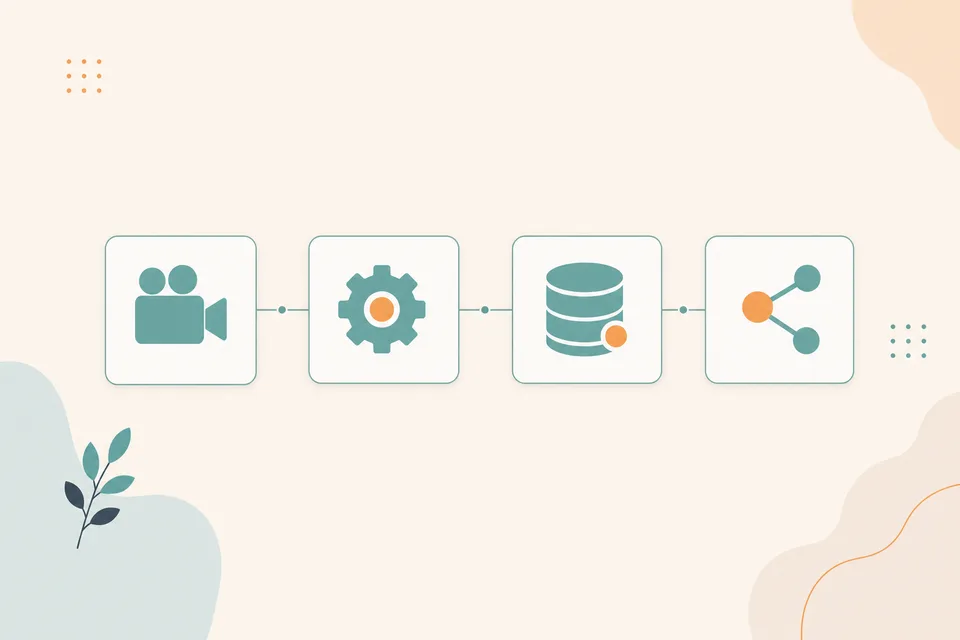
A video repurposing tool that automates every stage
From raw sources to published content, each stage of the pipeline is customizable and extensible.
Understands what was shown and said
Relevant frames, accurate transcripts and every source — aligned into one searchable knowledge base.
A content repurposing tool with purpose-built generators, not one prompt
Blogs, newsletters, LinkedIn posts and carousels, each generated for the format its channel expects.
Refine until it's exactly right
Iterate in a chat that keeps full context — from our UI or your own AI assistant, over MCP.
Formatted and published, per destination
Each exporter knows the format its destination needs — and pushes it there, to one tool or many at once.
Bring your sources
Meetings, recordings, livestreams, web pages, slide decks and PDFs — drop a file, paste a URL, or send in the meeting bot. One pipeline, every format.

Analyse
DiaIQ watches the video itself — keeping only the frames that matter, pinned to the moment they were discussed — transcribes the audio, and parses every source into one searchable knowledge base.
Generate
Purpose-built generators turn that knowledge into a draft — each one knows the format, structure and tone its channel expects. Define custom pre-processors for your own content types.
Refine in chat
Nothing's one-shot. Iterate in a chat that holds the full context of your sources and the draft — adjust tone, restructure, add context or ask for a new angle. It runs over MCP, so drive it from your own AI assistant too.
Export & publish
Each exporter formats content natively for its destination and pushes it there — a Jira issue with the right fields, a git branch and pull request, a feed-ready LinkedIn post, a print-ready PDF, clean Markdown for your Hugo site. Build your own to add custom destinations, and publish to several at once.
See the backend while the bot is in the call
This is the actual DiaIQ workspace in demo mode, a meeting already in progress. Watch frames stream in and get classified, and the transcript fill in word-by-word, in realtime. Click around: it's interactive.
 Screen share
Demo mode, no real data. Frames and captions are simulated to show how the live pipeline behaves.
Just ask, out loud or in chat, while you're still talking
Say "Hey Dia" and the bot catches it straight from the conversation, or type in the chat window right inside the call. Either way it acts on what was just discussed: opening a pull request, updating your Figma mocks, filing a linked ticket.
Demo mode, no real data. The pull request, Figma update and ticket are simulated to show how a live discussion turns into action across your tools.
One knowledge base from everything you bring it
Meetings, recordings, web pages, slide decks and PDFs all land in the same place — parsed, structured and indexed into a single base you can generate from.
Demo mode — simulated to show how selected sources become new content.
Then it builds the content — in your style
Pick a content type and a look. DiaIQ writes the draft, places images and diagrams from the source frames inline, and matches the visual style you choose.
Demo mode — switch the type or style and watch the draft rebuild. Images are placeholders.
Built for content at scale
Every source, every content type, every destination — one pipeline from raw input to published, on-brand output.
Built to act in realtime on incoming knowledge
An agent that sits in your meetings, understands what's shown and said, and acts the moment you ask — by voice, mid-call.
Any source, any format
Drop a file, paste a URL, or send in the meeting bot — DiaIQ ingests every format and reads each one for what actually matters.
Purpose-built content types
Not one generic prompt with a different label — each type knows the format, structure and tone its channel expects. Or define your own.
Refine in chat, over MCP
Nothing's one-shot. Iterate in a chat that keeps the full context of your sources and the draft — from our UI or your own AI assistant.
Export anywhere, formatted natively
Each exporter formats content for its destination and pushes it there — a Jira issue, a git PR, a feed-ready post, a print-ready file.
Agentic meeting intelligence
The bot joins live, watches the screen and the audio together, and keeps only the frames that matter — each pinned to the moment it was discussed.
Live actions — bring your agent
Fire actions by voice mid-call — open a PR, file a ticket, or ask what you missed — driven from your own assistant over MCP, while you keep talking.
DiaIQ completely transformed how we create content. What used to take our team days of writing and reformatting now starts from a single recording — polished, on-brand, and ready to publish in minutes.
Video repurposing
questions, answered
Yes. DiaIQ is an AI video repurposing tool that takes a meeting, webinar, talk or livestream and turns it into blog posts, newsletters, LinkedIn posts, carousels and summaries. Unlike tools that only work from the transcript, it also reads what was on screen, so slides, diagrams and code end up in the output.
Video files (MP4, WebM, MOV), livestream and video URLs, recordings from the DiaIQ meeting bot in Zoom, Microsoft Teams and Google Meet, slide decks, PDFs and web pages. Everything is parsed into one searchable knowledge base that the generators draw from.
A transcript loses everything that was shown rather than said. DiaIQ keeps the relevant frames pinned to the moment they were discussed, combines them with the transcript and your reference material, and uses purpose-built generators that know the structure each format expects. The result is grounded in your material and written in your voice, not a generic summary.
Each exporter formats the content natively for its destination: a Jira issue with the right fields, a git branch and pull request on GitHub or GitLab, a feed-ready LinkedIn post, a print-ready PDF, clean Markdown for a Hugo site. You can build your own exporter and publish to several destinations at once.
Yes. Generation and refinement run over MCP (Model Context Protocol), so you can work from the DiaIQ chat or from any MCP-capable assistant, with the full context of your sources and the current draft available in both.